Free plugin for WooCommerce
Product landing pages, built in the block editor
Definitivo Commerce Studio adds 13 blocks made to sell the products of your store, and whole landing pages built with them. Pick a product, write your texts, choose your photos, publish. No page builder, no code.
Free and open source · WordPress 7.0+ · WooCommerce 11.0+
The problem
The default product page shows a product. It does not sell it.
A photo, a price and a button are enough for a product people already want. A product that needs explaining needs more: its story, its details, how it compares, and answers to the questions buyers ask right before they decide.
Building that page has meant a heavy page builder, a developer, or hours of stacking blocks from scratch.
Commerce Studio gives you that page ready, in the editor WordPress already has.
What you get
A sales page in minutes
Choose a landing page and say which product it is for. It starts with the name, the price, the photos and the buy button of your store. You write only what is yours.
It looks like your site
The blocks take the colors, the fonts and the buttons of your theme. For another look, every block has a light and a dark scheme, and every element has its own colors.
Light by design
Every block is rendered by the server, and the page works even without JavaScript. A page loads only the files of the blocks it uses. A page with no block of the plugin loads nothing from it.
Accessible
The blocks follow WCAG 2.2 as a reference: they work with the keyboard, are read by screen readers, and their default colors are checked for contrast.
Landing pages
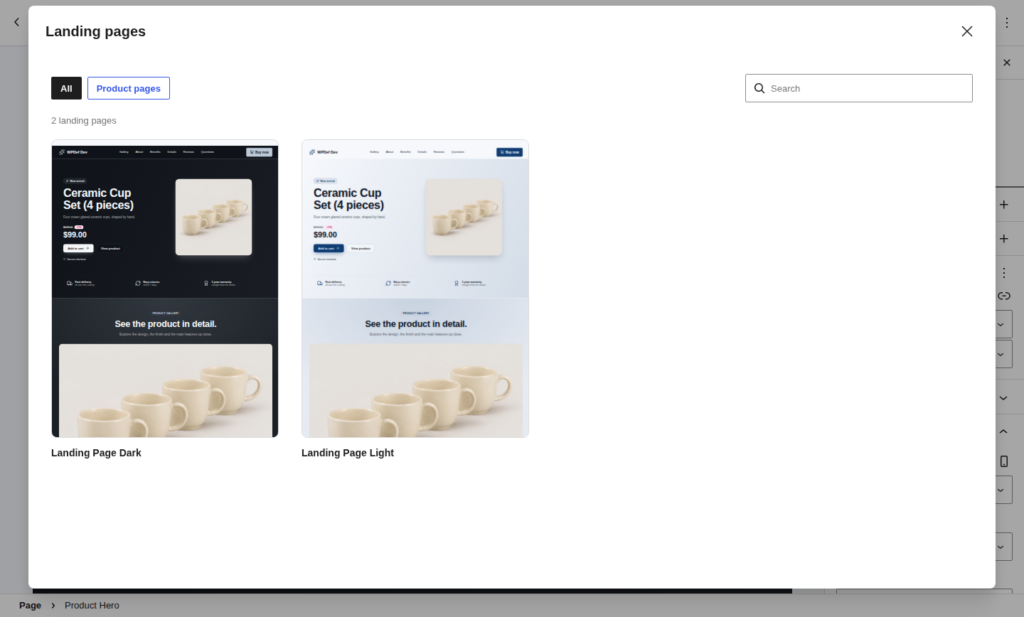
Two complete landing pages, light and dark
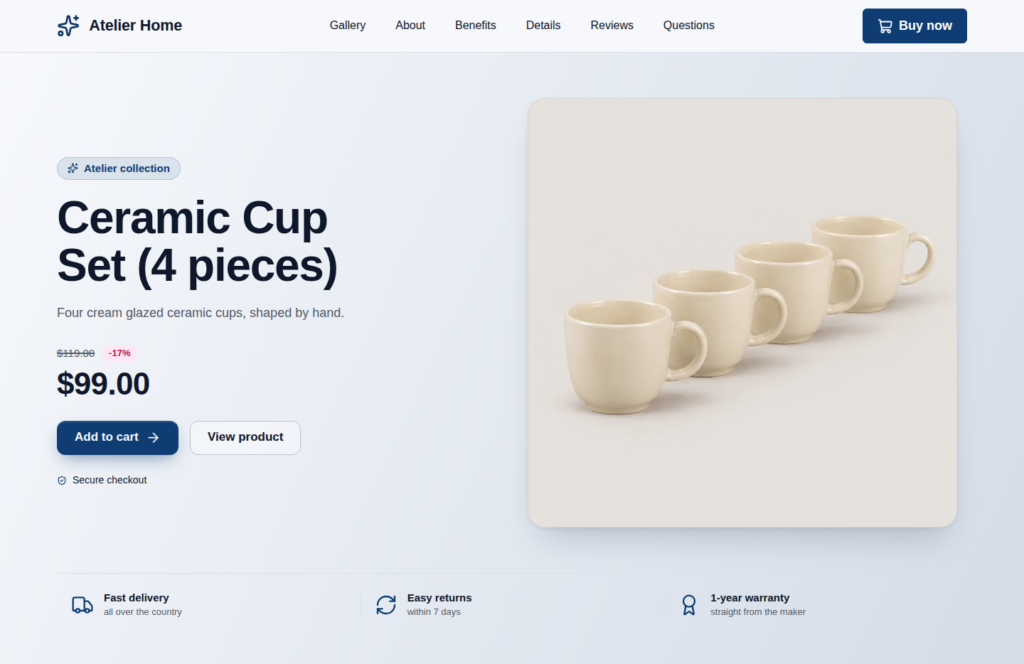
Each one is a whole page for one product, in the order a good sales page is read:
- A bar with links to the sections and a buy button.
- The product at the top, with its price and the purchase.
- Its photos.
- Its story.
- Its details, in cards.
- The product point by point, over its photo.
- How it compares with the alternatives.
- What buyers say.
- Frequent questions.
- More products of the store.
- A footer.
Every text is an example that says what to write in its place. A photo you have not chosen yet shows as a marked place, so you see the page as it will be before you pick the images.
The blocks
13 blocks, together or on their own
To show products
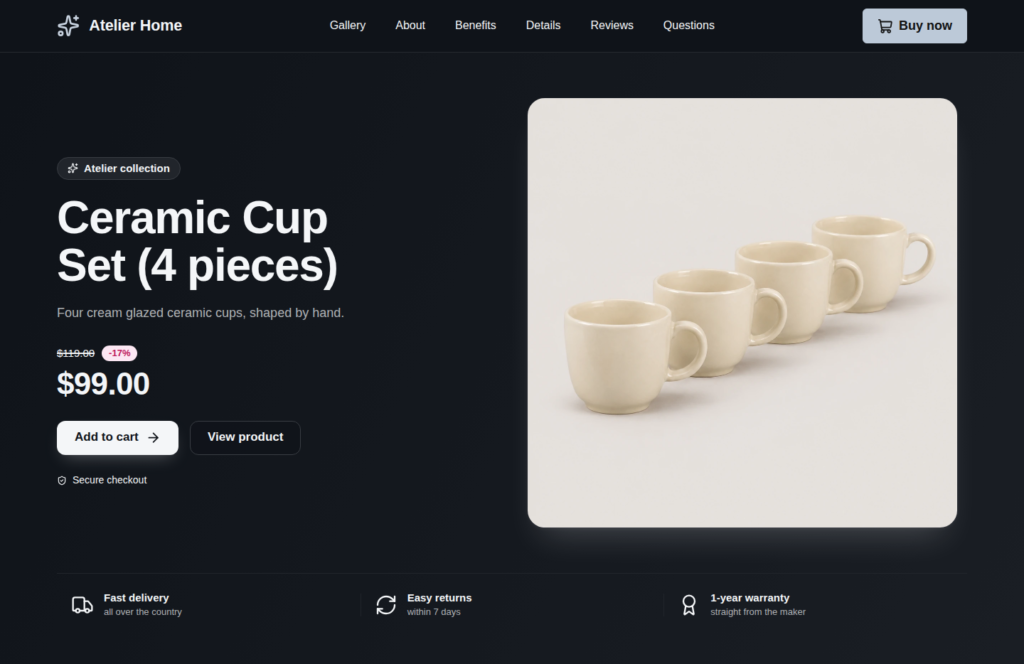
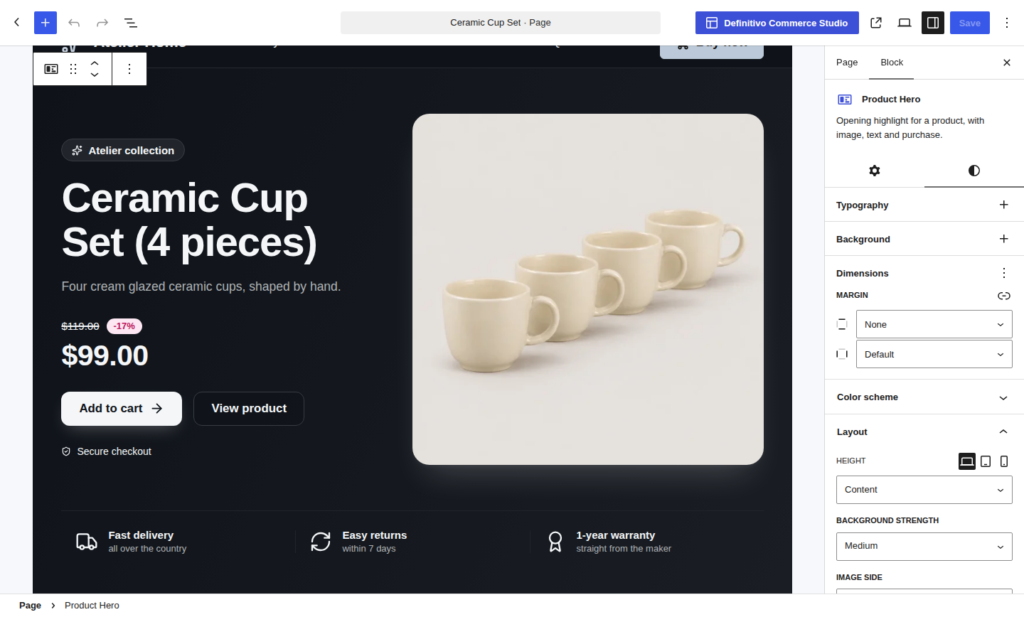
Product Hero
The product at the top of a page, with its photo, its price, its buttons and what makes a buyer trust the purchase.
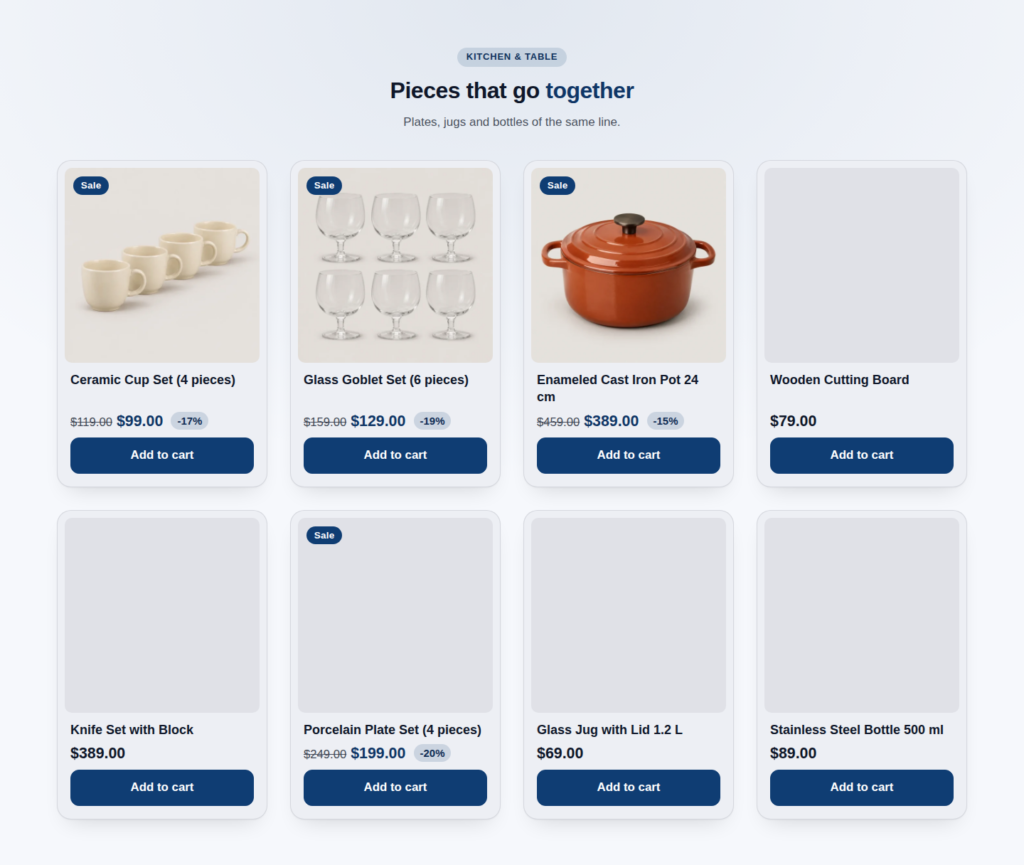
Product Grid
Products in a grid, with nine layouts, category tabs, sorting and “load more”.
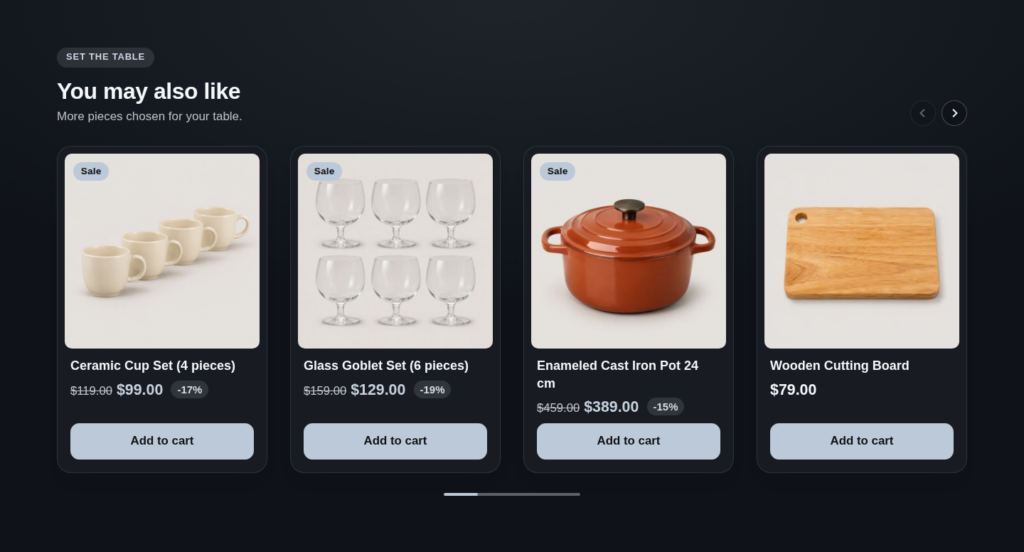
Product Carousel
Products in a row that scrolls, with twelve layouts. Best sellers, related products, recently viewed and eight other sources.
To tell the story
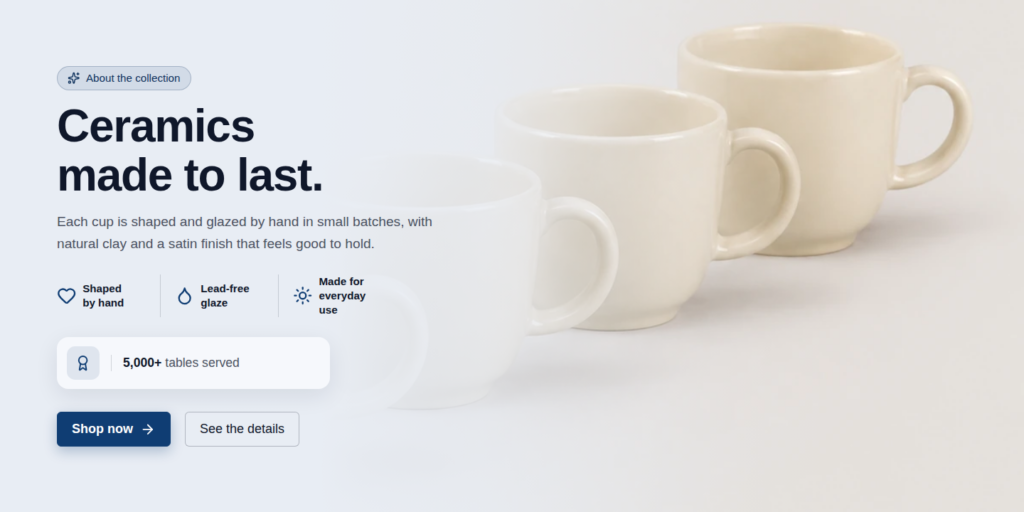
About the Product
The story of the product beside a photo, with highlights and buttons.
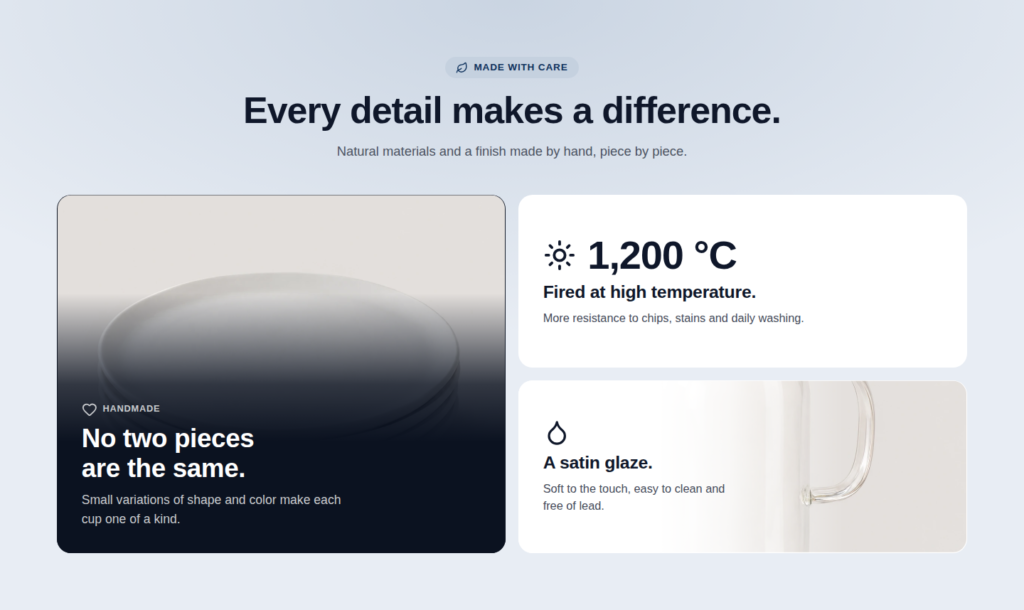
Product Features
Cards with a photo, a number or an icon.
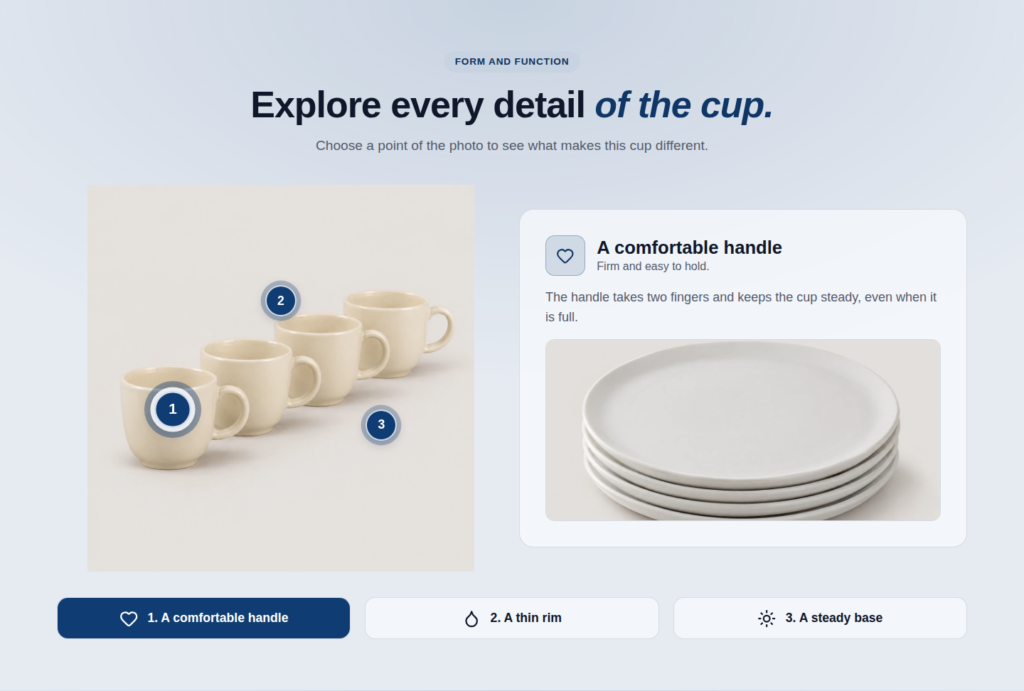
Product Hotspots
Numbered points over a photo, each one with its explanation.
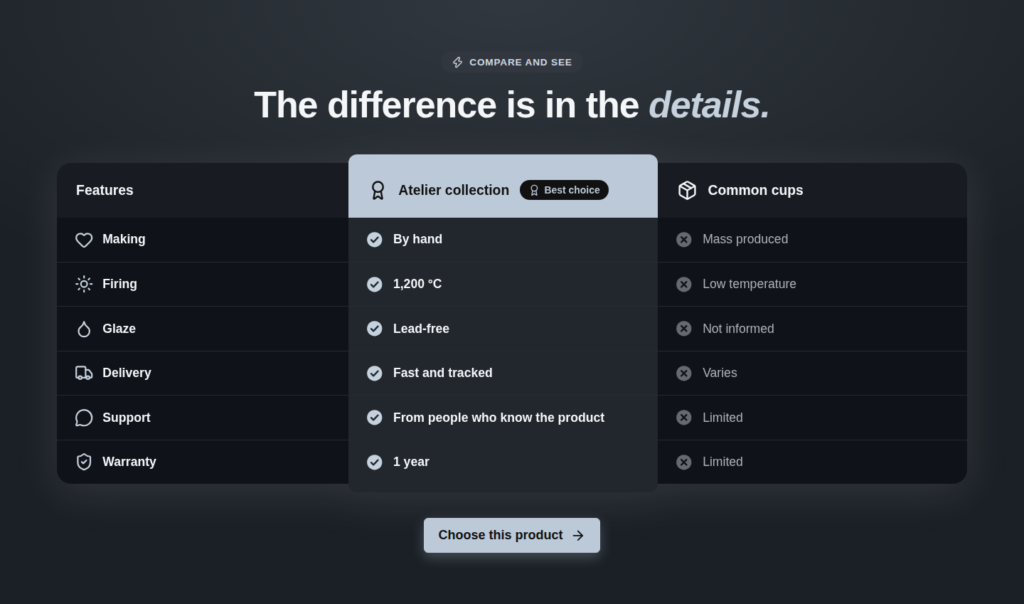
Comparison Table
Your product beside the alternatives, feature by feature.
Carousel Gallery and Grid Gallery
The photos of the product, as a carousel, a grid or a mosaic.
To build trust
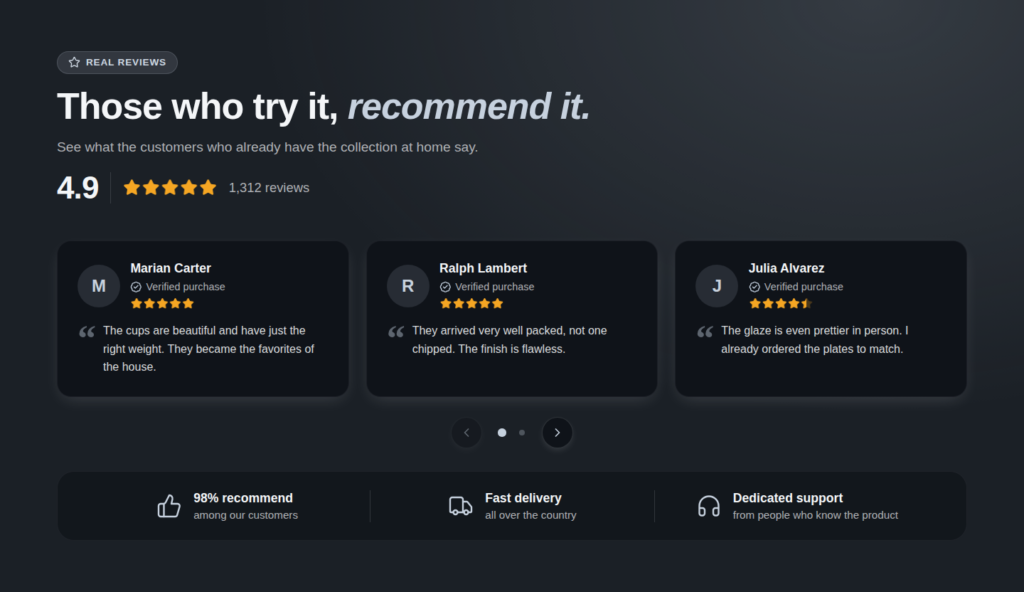
Testimonials
What buyers say, written by you or taken from the reviews of the product.
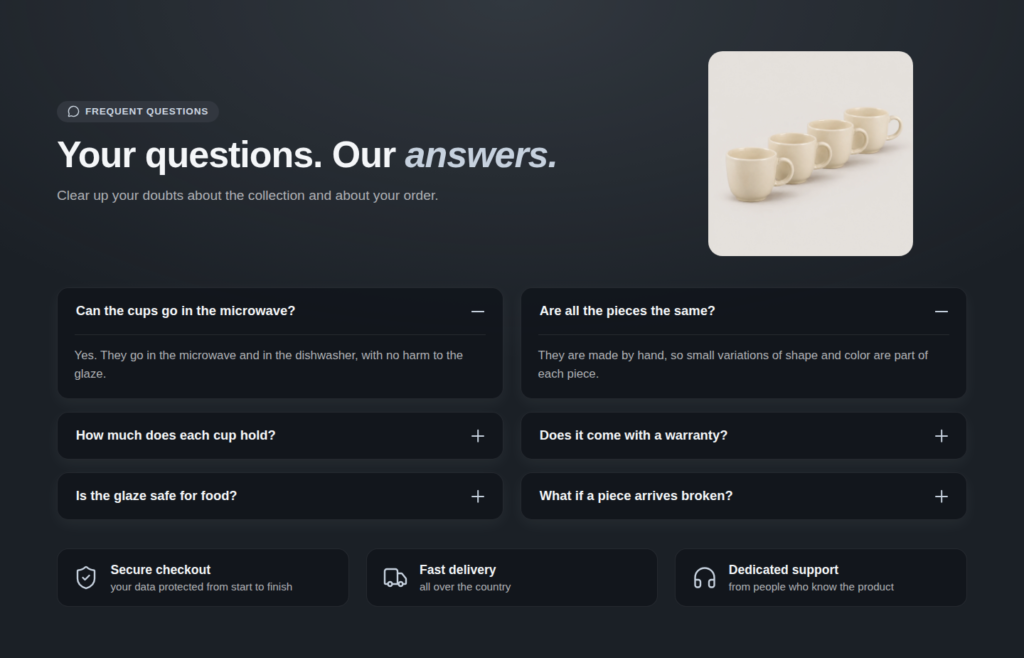
FAQ
Questions that open to show their answers, with the structured data search engines read.
To frame the page
Page Header and Page Footer
The top bar and the footer of a landing page that does not use the ones of the theme.
How it works
Three steps
Step 1
Choose the page
Open “Commerce Studio” in the WordPress dashboard and see the landing pages with the products of your store, on a computer, a tablet and a phone.
Step 2
Choose the product
The page is created as a draft, with the product already at the top, in the photos and in the buttons.
Step 3
Write and publish
Replace the sample texts and choose the photos in the sidebar of the editor. Publish when it is yours.
Why it is different
Everything in the WordPress editor
- No page builder. The plugin uses the block editor that comes with WordPress. There is no second interface to learn and no second system to keep up to date.
- Connected to your store. Price, stock, reviews and photos come from WooCommerce. Change the price in the store and the page follows.
- Every detail is yours to set. The title, the text, the buttons, the cards and the badges each have their own color, size, alignment and corner radius.
- Private by default. The plugin makes no request to another server and keeps no data of your visitors.
- Ready for your language. Written in English, with a Brazilian Portuguese translation included, and ready to be translated.
Who it is for
Made for stores that run on WooCommerce
Store owners who want a better sales page for the products that matter most.
Product launches that need a page of their own for the campaign.
Freelancers and agencies who build stores for clients and want to deliver sales pages without a page builder.
Frequent questions
Is it really free?
Yes. The 13 blocks, every control and the two landing pages are free, with no time limit and no limit of sites.
Does it need WooCommerce?
Yes. The product blocks show the products of a WooCommerce store, and the plugin is not activated without it.
Does it work with my theme?
It is made for block themes and works with classic ones. The blocks take the colors and the buttons of the theme until you choose others. It is tested with Twenty Twenty-Five and Storefront.
Does it work with a page builder?
The plugin is made for the WordPress block editor. Pages built with it need no page builder.
Will it slow my site down?
No. The blocks are rendered by the server, and a page loads only the files of the blocks it uses.
Can I use one block without the whole landing page?
Yes. Each block works on its own, on any page or post.
Does it send data anywhere?
No. The plugin loads nothing from outside your site. The “Recently viewed” source keeps the products a visitor opened in the browser of that visitor, for up to 30 days, and respects consent plugins that support the WP Consent API.
What happens if I uninstall it?
The blocks stay in the content of your pages and are shown again if you install the plugin again. The cached data the plugin keeps is removed.
Build the sales page of your product today
Install Definitivo Commerce Studio, choose a landing page and publish.